Crypto Transfers and Swaps
Make transfers between wallets or swap crypto simply and quickly.
Tools to simplify your operations Exceefy offers intuitive tools to manage all your transfers and swaps: move cryptocurrencies between wallets, swap in just a few clicks, and track your operations easily.
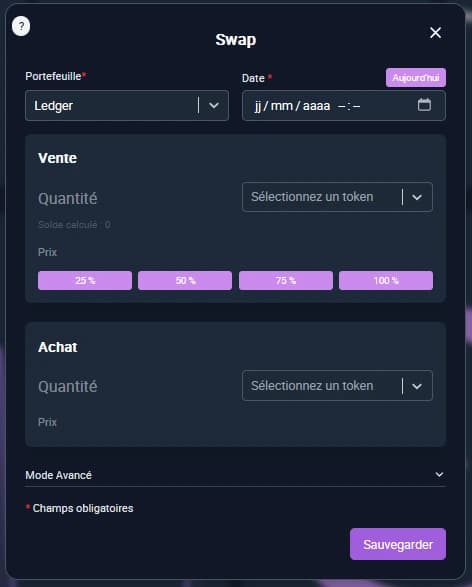
Simplified Swap
Swap between cryptocurrencies in a few clicks, with clear tracking of each operation thanks to our intuitive interface.
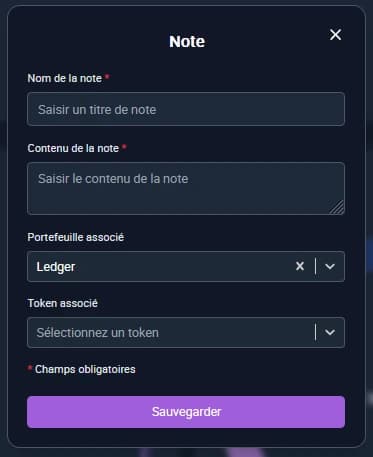
Notes & Personalized Tracking
Add a note to each transaction to keep a record, explain your choices, or make your history easier to manage.
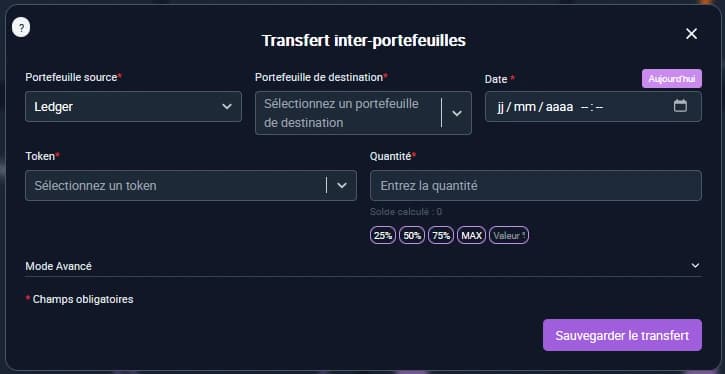
Transfers Between Wallets
Quickly and accurately transfer assets from one wallet to another for optimal portfolio management.
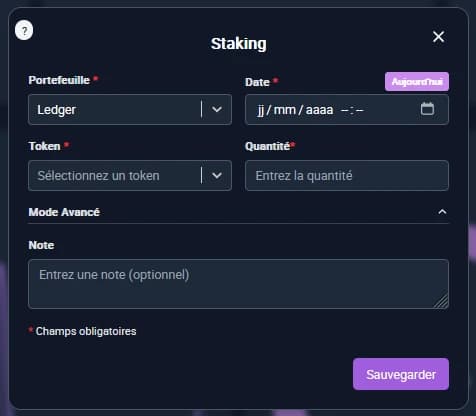
Staking Management
Easily record your staking operations and track your earnings for a clear view of your returns.
Benefits of Crypto Transfers and Swaps
- Simplified transfer and swap operations
- Intuitive interface for clear transaction tracking
- Add notes for personalized management
- Staking management to optimize returns
- Tools for both beginners and experienced investors
How does crypto transfer and swap tracking work?
- 1
Pick the type of operation
Beyond buys and sells, Exceefy tells apart swaps, transfers between wallets, deposits, withdrawals and earn rewards. Each operation is saved with its type, so your history stays easy to read.
- 2
Record a swap in a single entry
A swap exchanges one token for another. You enter it as one operation, and Exceefy updates both balances at once. No need to create a separate sell and buy.
- 3
Move assets from one portfolio to another
When you send crypto from an exchange to your wallet, the transfer removes it from the source portfolio and adds it to the destination. Your total holdings stay accurate, with no duplicates or phantom losses.
- 4
Track your rewards and locked assets
Record your staking rewards as earn gains to measure your yield. With the Max plan, you can also log the amounts locked in staking or in a liquidity pool, shown in dedicated columns.
How investors use transfers and swaps
The investor who secures crypto on a cold wallet
You buy on an exchange and regularly move funds to your Ledger. A wallet-to-wallet transfer reflects that move in Exceefy, and each portfolio shows the right balance afterwards.
The DeFi user who swaps often
You swap tokens on DEXs several times a week. Each swap is saved as a single operation, and a note lets you record why you made it, so you can review your choices later.
The staker who wants their real yield
You stake part of your tokens and receive regular rewards. By logging them as earn gains, you see what they actually add to your portfolio, instead of relying on the rate shown by the platform.
Which plan includes transfers and swaps?
Swaps, transfers between wallets and earn rewards are included from the Plus plan, at €5 per month or €50 per year. Liquidity pool and staking position management is part of the Max plan, at €15 per month or €150 per year.
Compare the Free, Plus and Max plansTransfers and swaps FAQ
Does Exceefy actually execute my swaps and transfers?
No. Exceefy is not an exchange and never holds your funds. You carry out your operations on your usual platforms, and Exceefy records them so your tracking matches what really happened.
Why not record a transfer as a sell followed by a buy?
Because it would distort your tracking. A sell and a buy create trades that never took place. A wallet-to-wallet transfer simply moves the quantity, without touching your buy and sell history.
What is the difference between an earn gain and a staking position?
An earn gain records the rewards you receive, available from Plus. A staking position, available with Max, shows how many tokens are locked, so you can tell what is available from what is tied up.
Can I add notes to my operations?
Yes. You can attach a note to every transaction to keep track of your reasoning. With the Plus plan, these notes can also be exported to CSV or Excel along with your assets and transactions.
Are network fees taken into account?
Transfer fees reduce the amount you receive. For accurate tracking, record the quantity that actually arrived in the destination portfolio. Your balances then stay in line with those on your platforms.
Further reading
Get Started Now
Sign up for free and discover how Exceefy can transform your crypto portfolio tracking experience.